Scanline (Post Process)
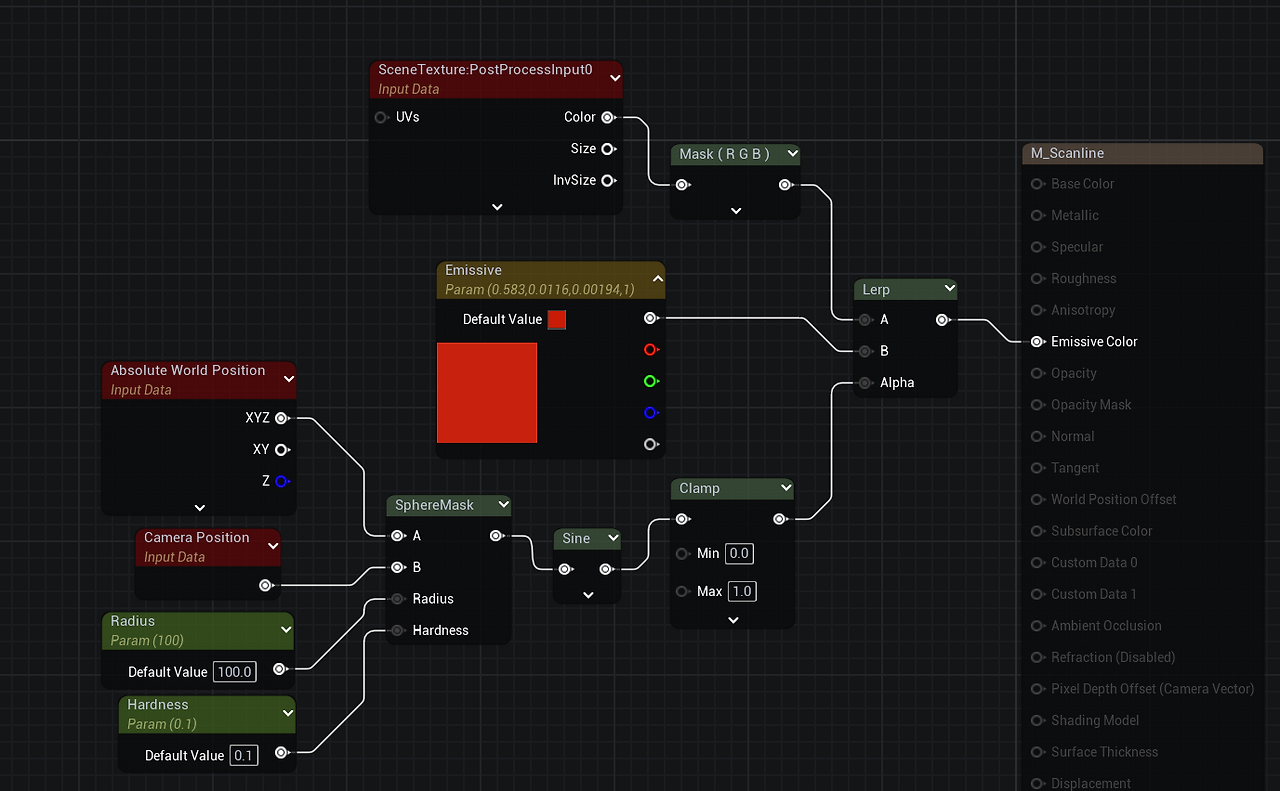
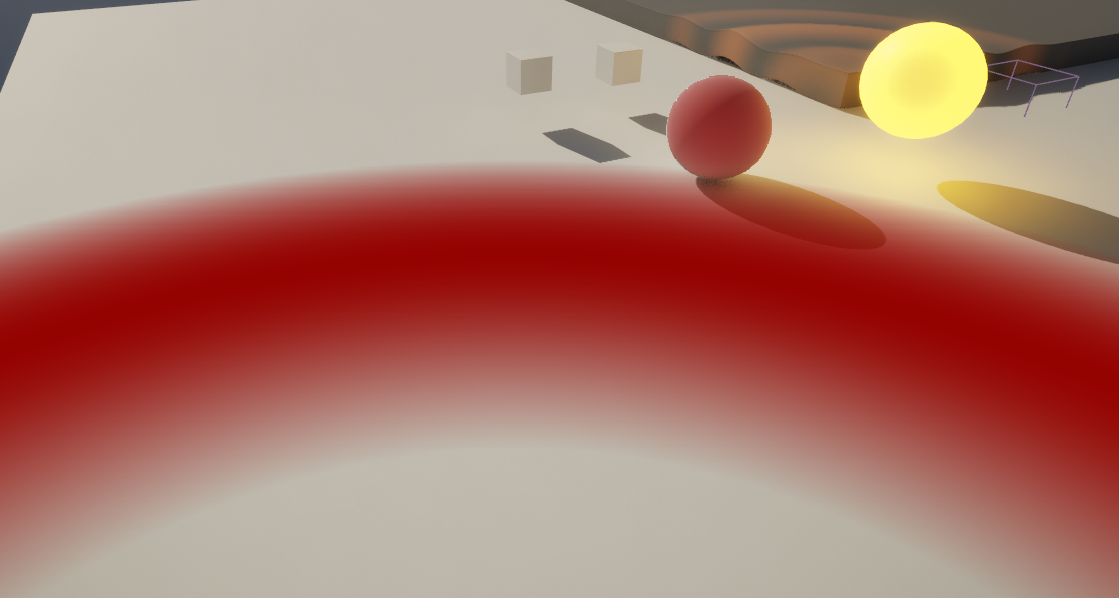
무늬를 사용하기 위한 노드
Texture Object : T_Tec_Hex_Tile_M
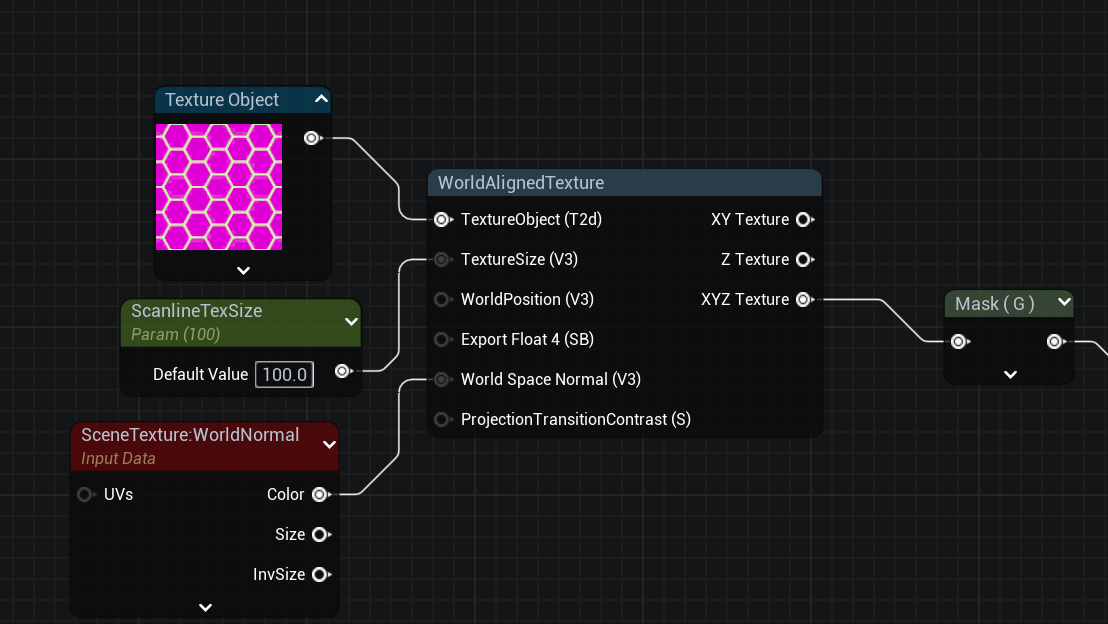
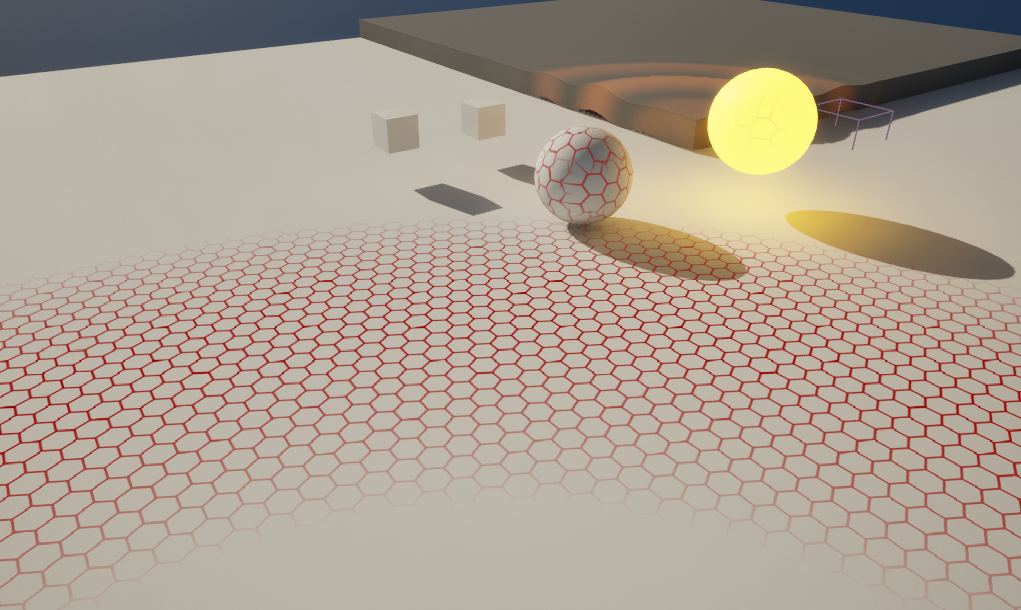
Multiply로 곱해서 적용


MI에서 값 조절
감지 가능한 머티리얼 만들기 (Stencil)
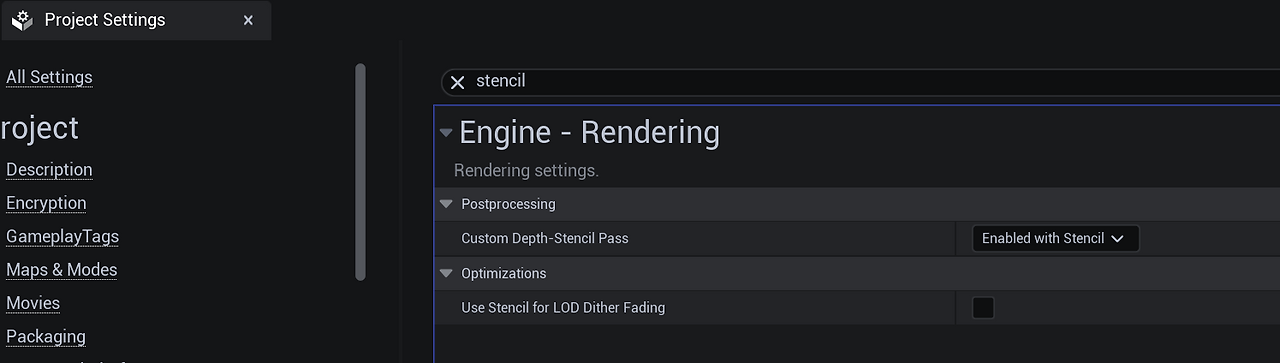
Project Settings - Post Process - Custom Depth - Stencil Depth : Enable with Stencil
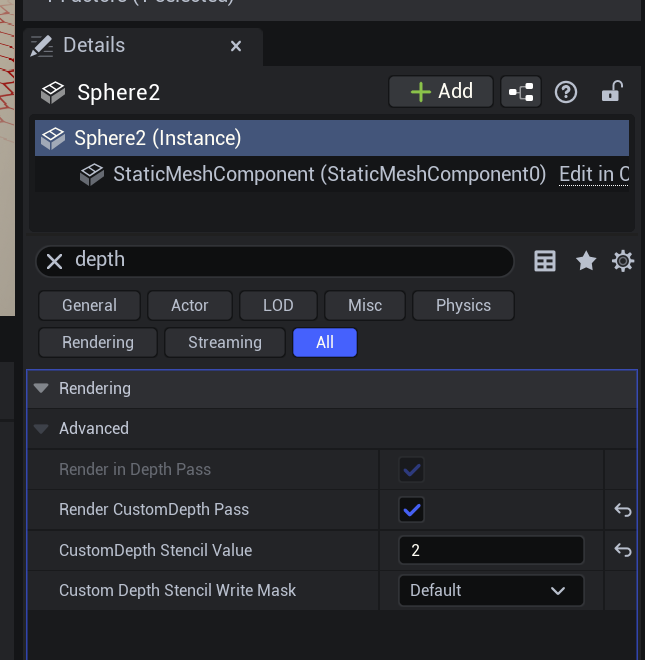
적용할 Mesh에서 CustomDepth Stencil Value 값을 입력
: Value 값마다 다른 색상을 줄 수 있다.
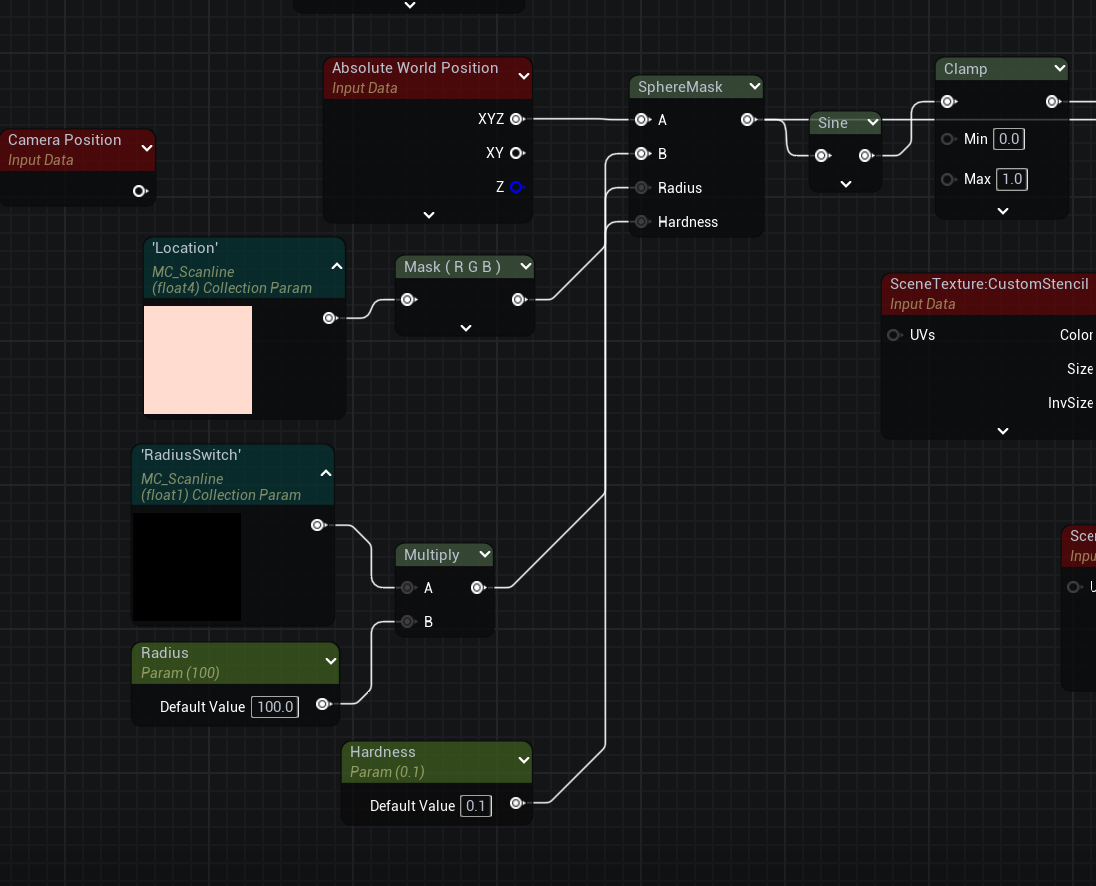
M_Scanline
CustomDepth 활성화
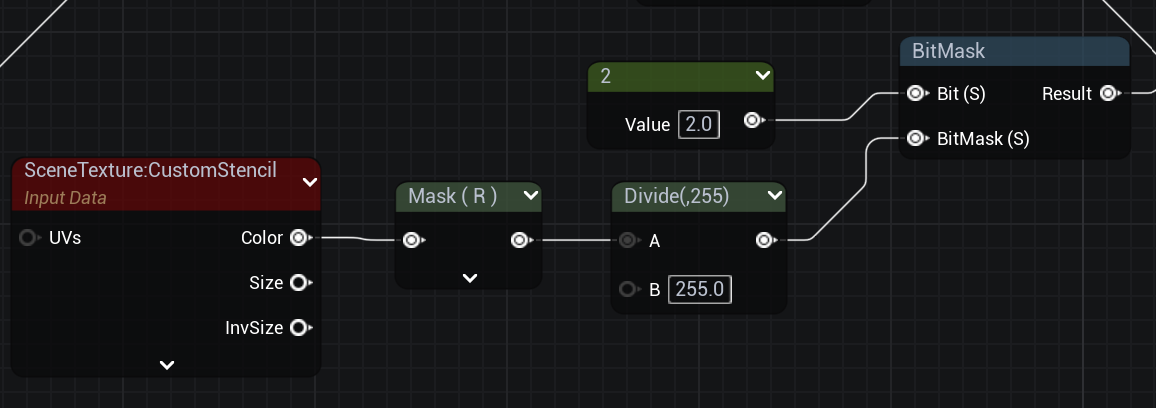
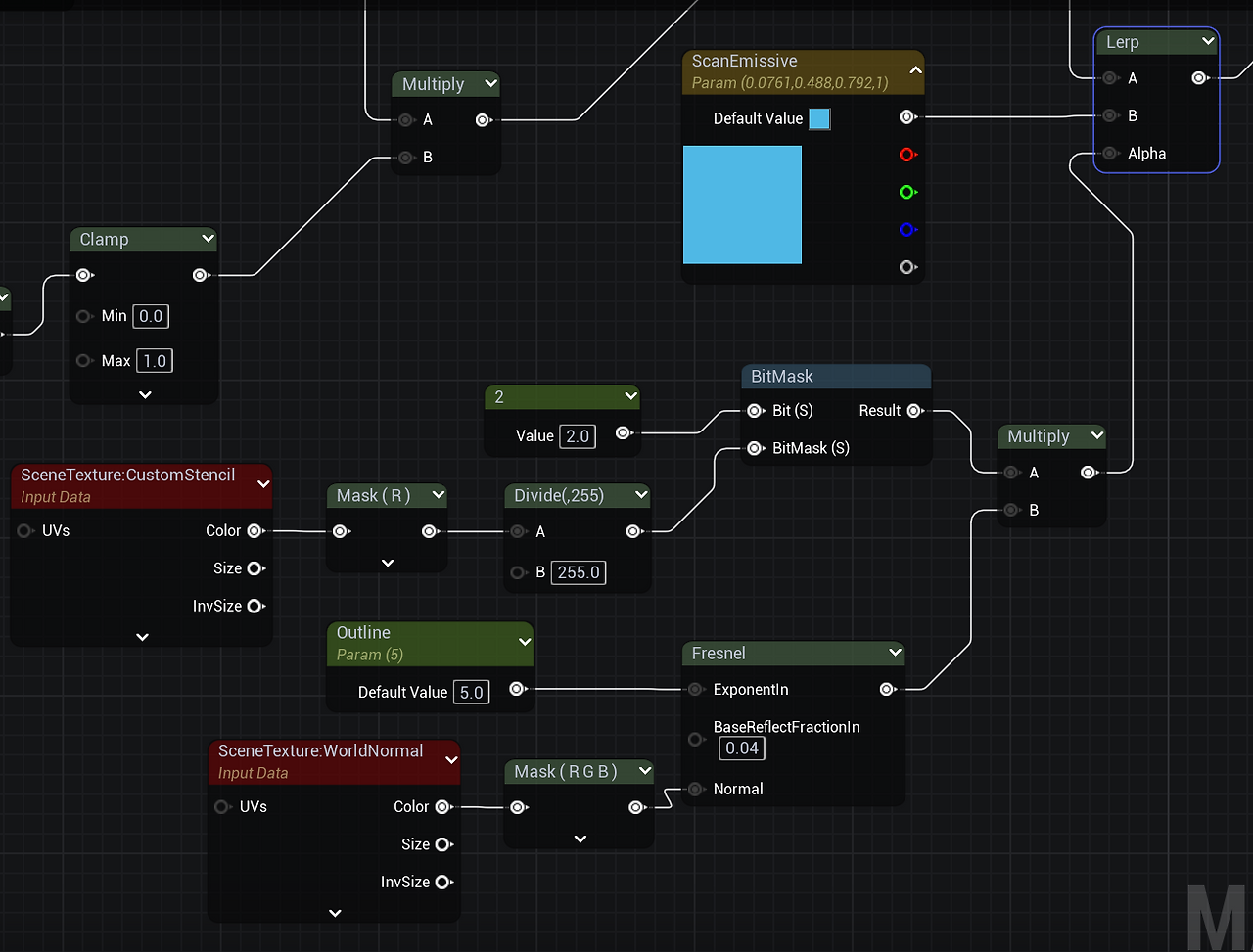
Stencil의 값은 하나의 값만 사용하기 때문에 Mask도 1개만 사용
Divide(255)는 Stencil 값이 255로 나타나기 때문에 0과 1사이 범위가 되어 UV값으로 나타남
Bit에는 적용할 CustomDepth Stencil Value 값을 입력
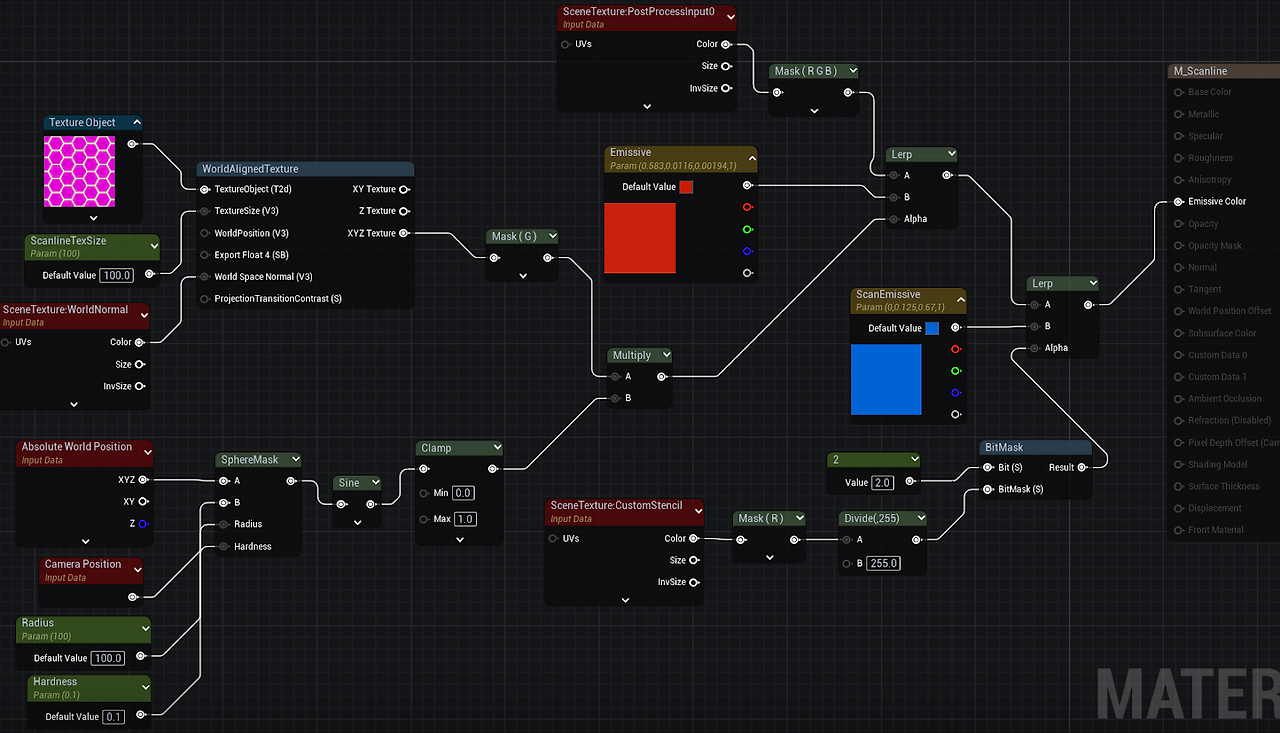
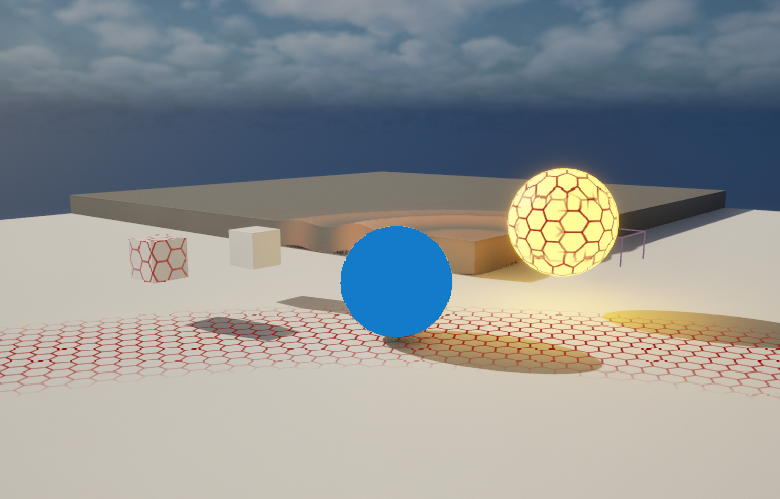
ScanEmissive에 Outline 생성
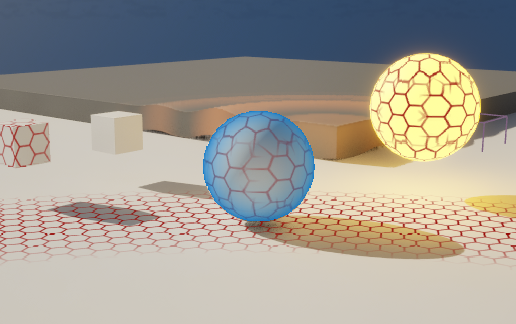
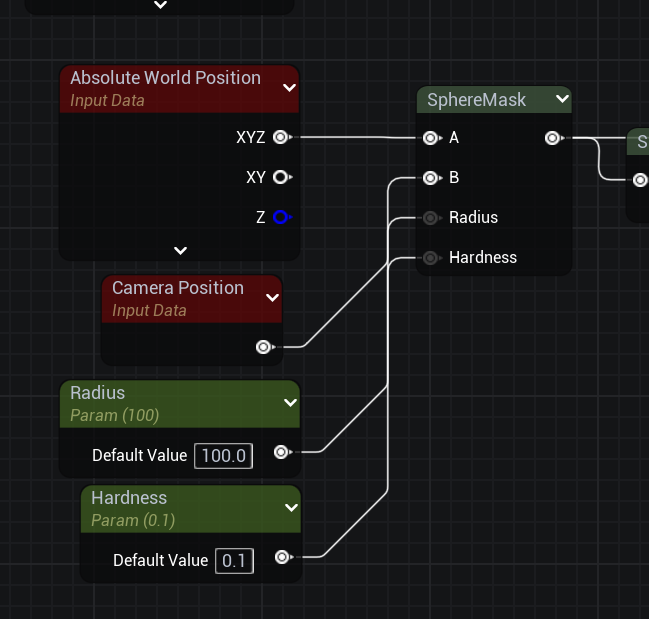
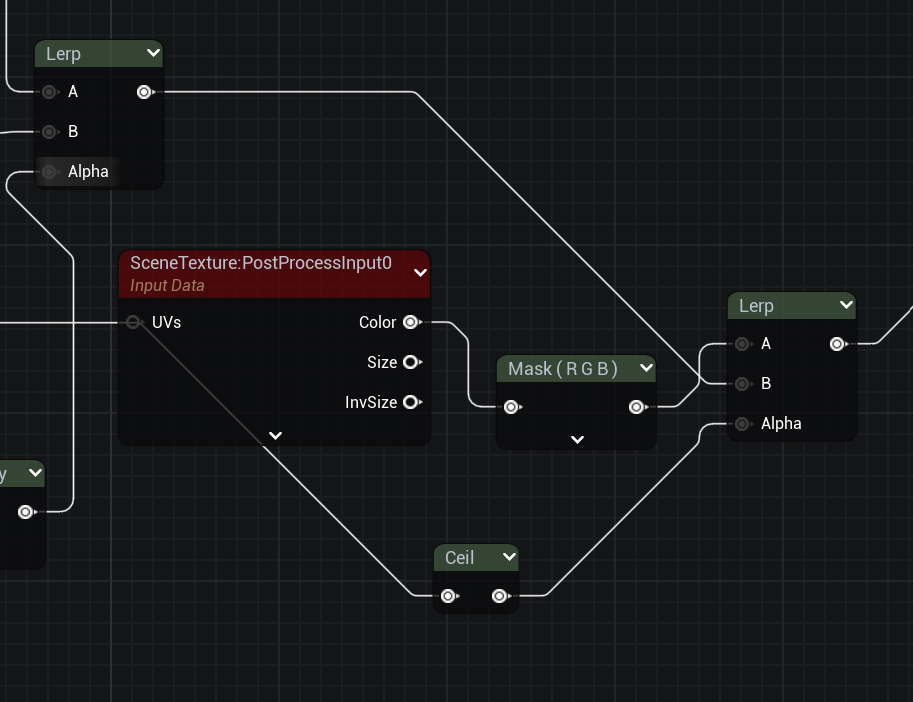
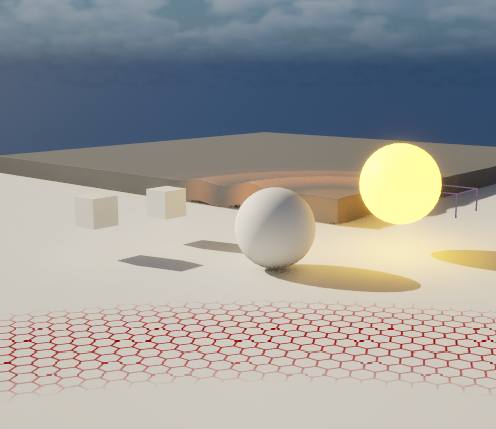
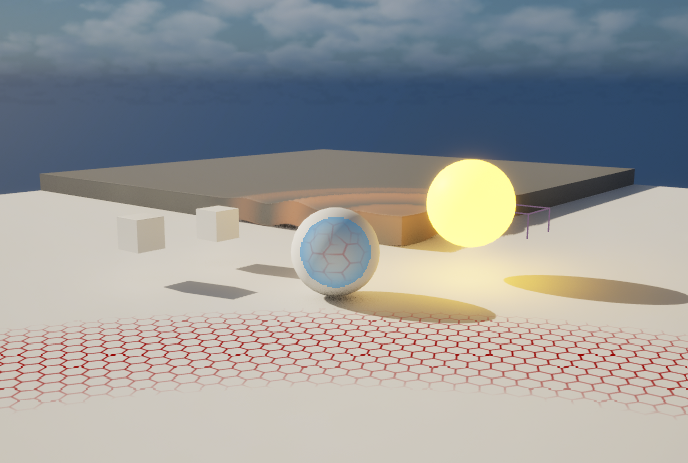
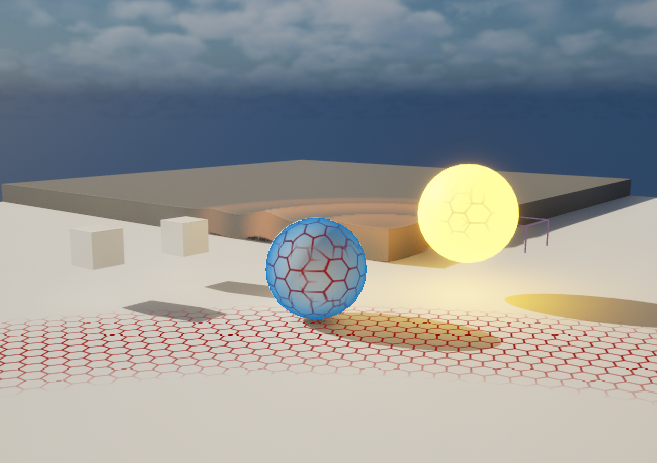
Scanline과의 거리에 따른 Interaction
Lerp 추가하여 B에 기존 노드, A에 원본 값, Alpha에는 거리에 따라 변동하는 값

SphereMask 값을 가져와 ceil로 올려 Alpha에 적용
Player에 적용하기
BP_ThirdPersonCharacter
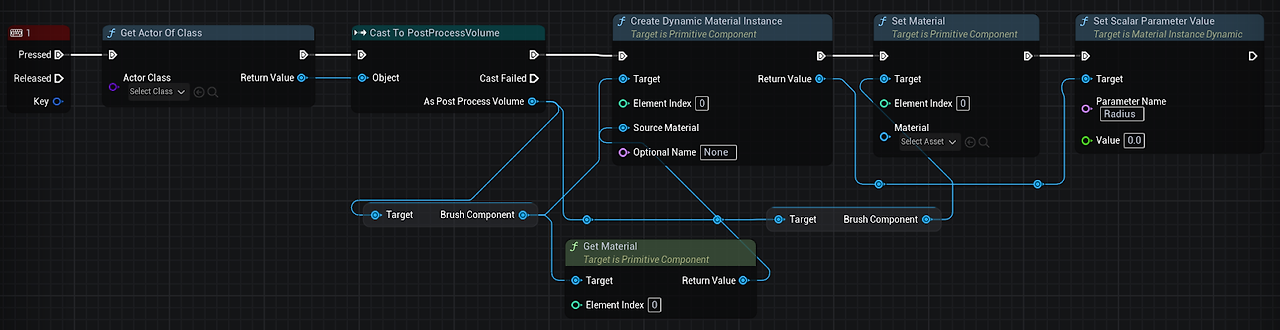

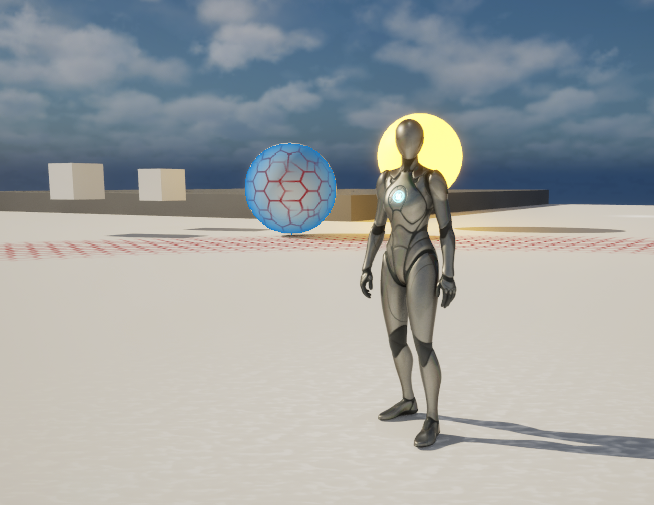
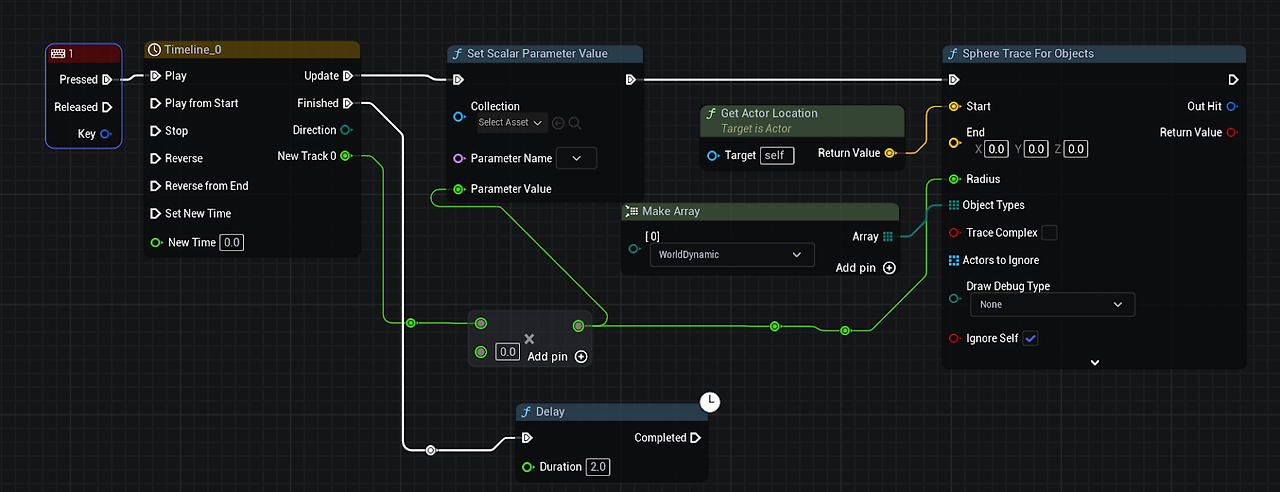
Timeline 추가
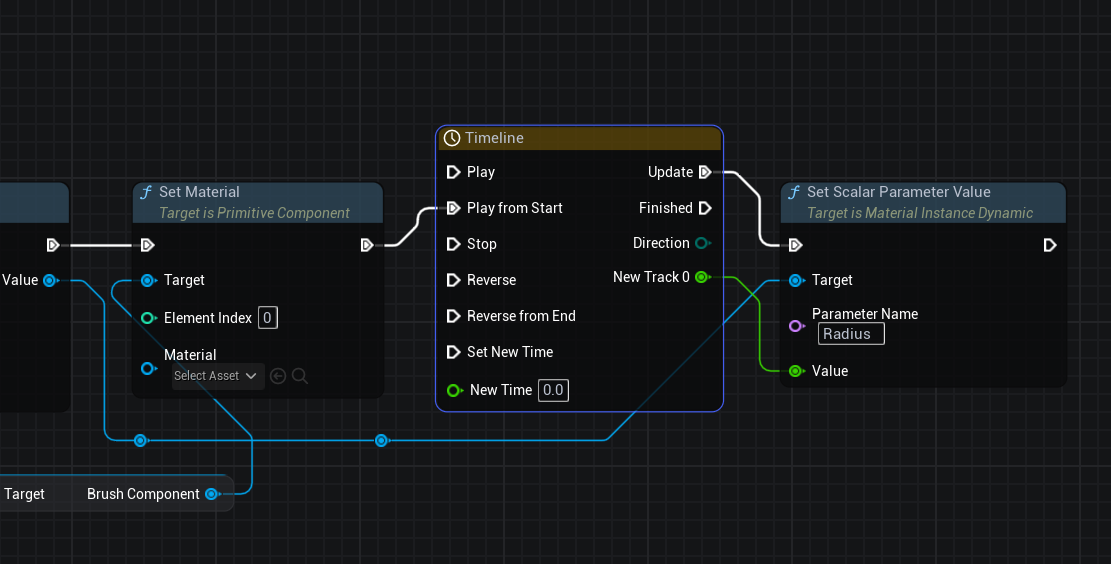
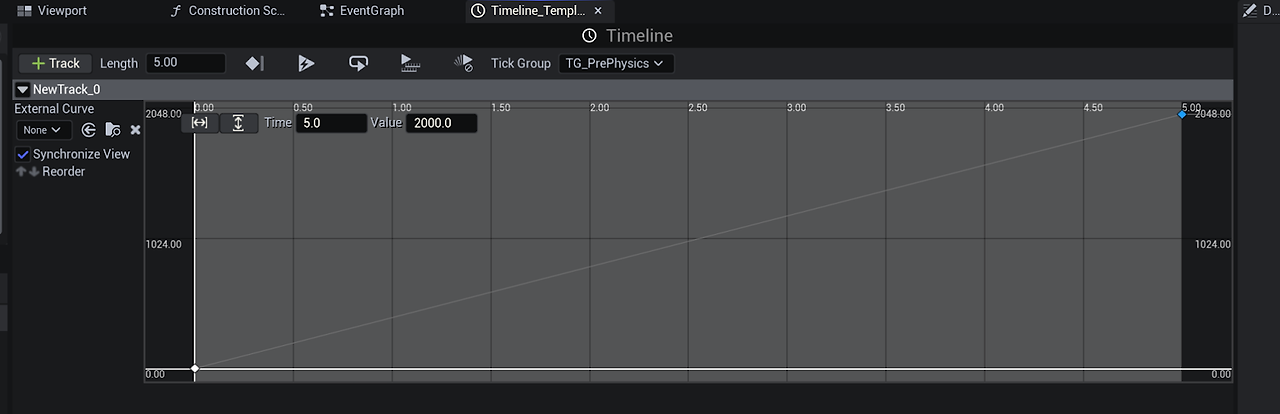
Time 0 Value 0
Time 5 Value 2000
Scalar Parameter에 변수 Radius 추가
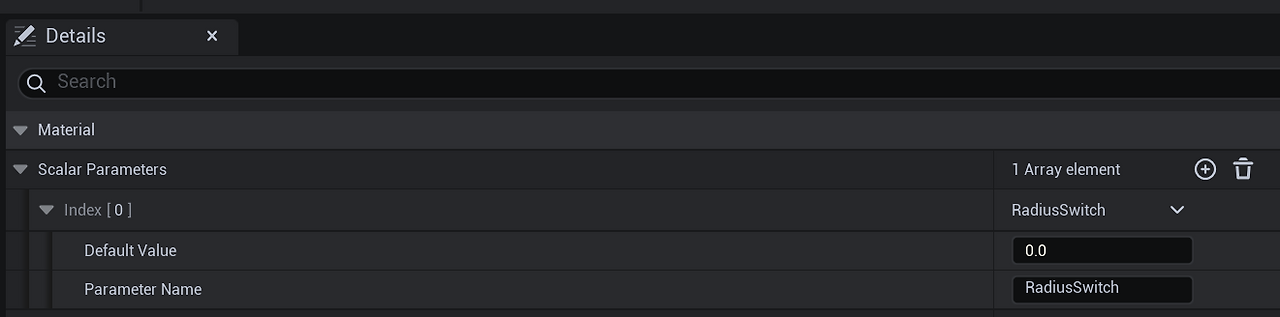

Timeline Time 5 Value 1로 변경
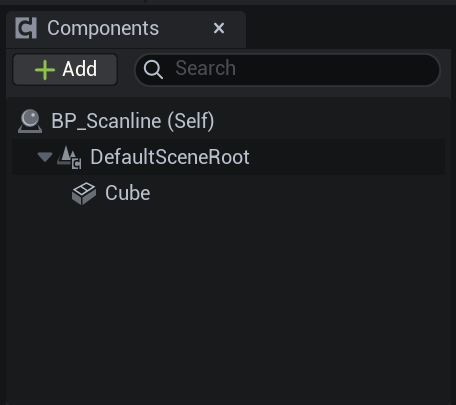
Actor 기반 Blueprint 생성

Cube Component 생성
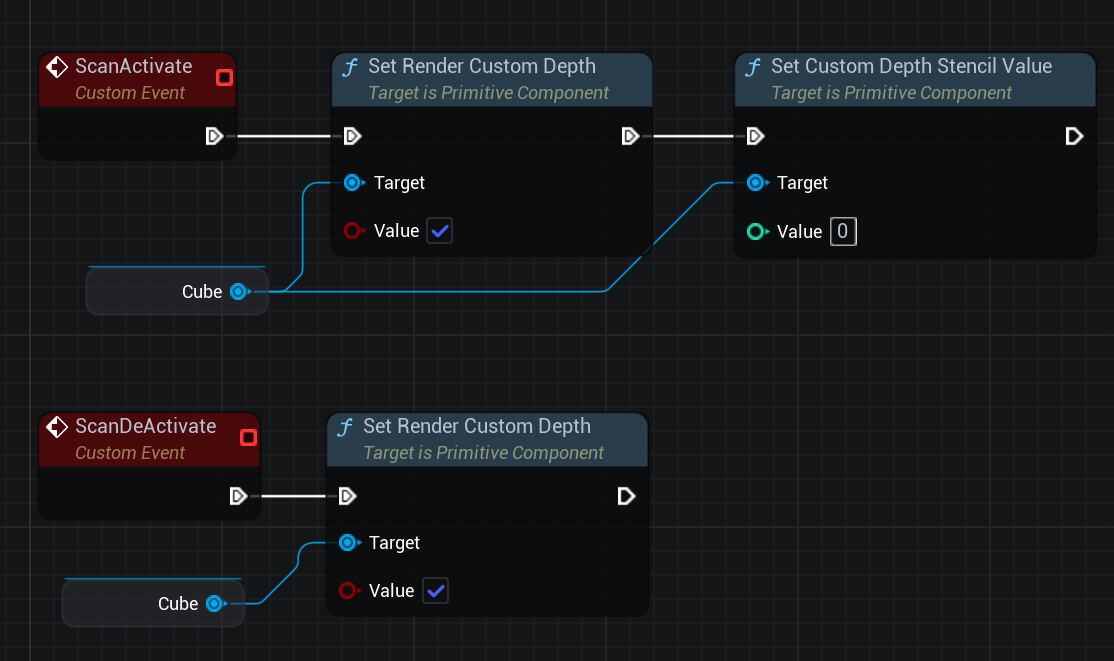
Custum Event 추가

BP_ThirdPersonCharacter
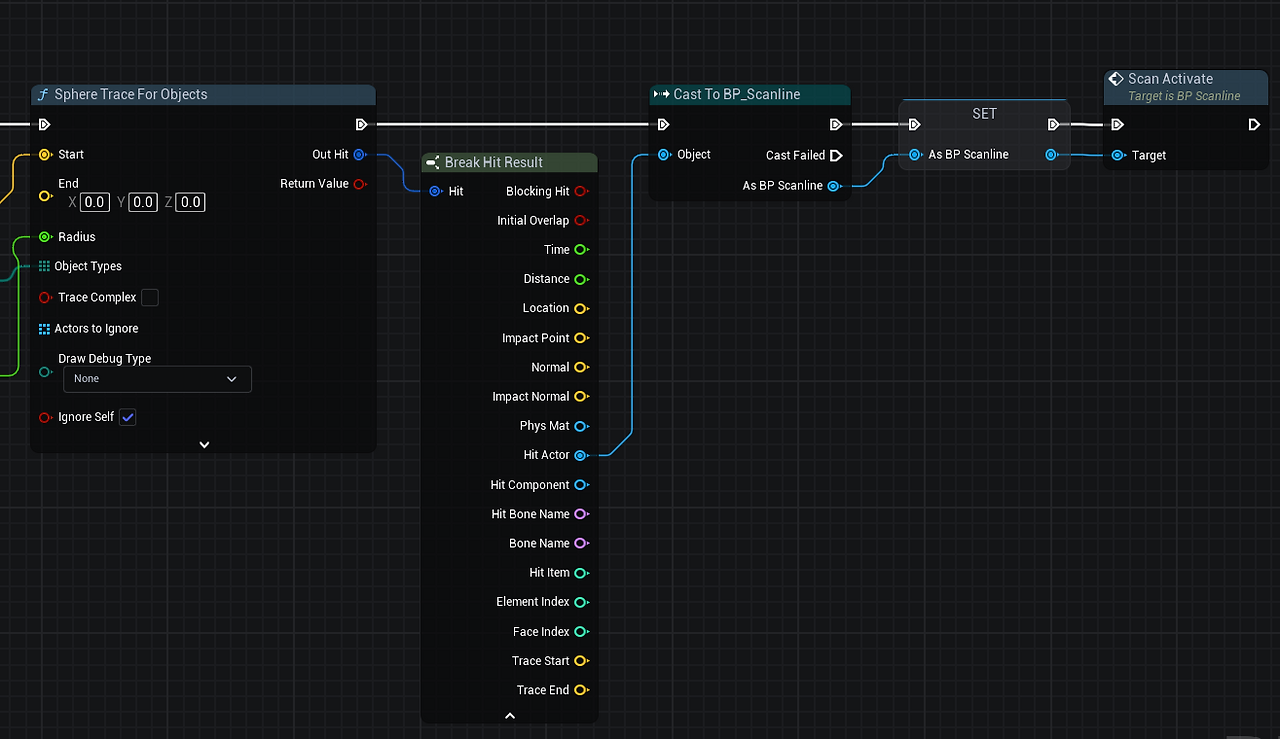
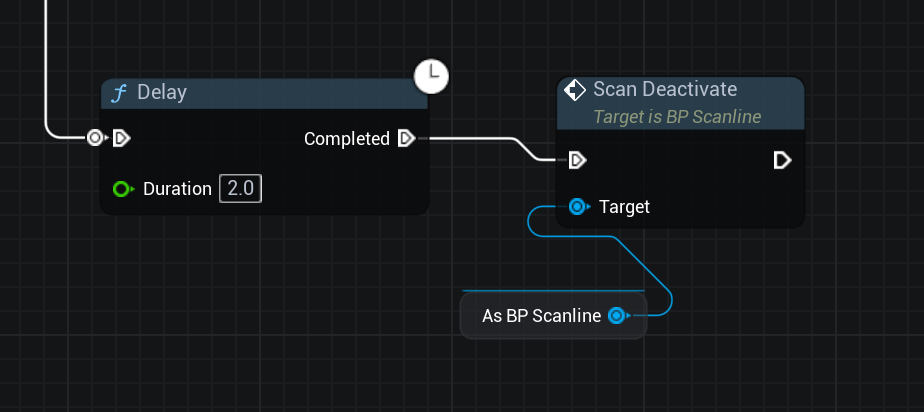

M_Scanline
'Unreal Engine Technical Art > Material' 카테고리의 다른 글
| Unreal Engine World Position Offset (1) (0) | 2025.04.01 |
|---|---|
| Unreal Engine World Distortion Material (0) | 2025.03.20 |
| Unreal Engine Hologram Material (0) | 2025.03.12 |
| Unreal Engine Water Material(2) - Bubble, Ripple (0) | 2025.03.12 |
| Unreal Engine Water Material (0) | 2025.02.25 |